Docker on your Mac.
Without the bloat.
A native macOS container runtime built on Apple Virtualization. One lightweight VM, multiple isolated machines, automatic DNS and TLS - all from your menu bar.
Features
Everything you need to run containers.
Nothing you don't.
Containers, networking, storage, and monitoring — all native to macOS. No Electron wrapper, no subscription, no 2 GB RAM tax just to idle.
Feels like a Mac app, because it is
Pure Swift and SwiftUI. Lives in your menu bar, launches in seconds, and respects your system settings.
Terminal-first when you want it
A full CLI that does everything the GUI does. Manage containers, SSH into machines, switch profiles — without ever leaving the terminal.
Use only what you need
One lightweight VM shares resources across all your machines. Set your own CPU, memory, and disk limits. If you're not running containers, Apex is barely there.
Your Docker workflow, unchanged
Drop-in Docker compatibility. Your CLI commands, Compose files, and CI scripts all work — no rewrites, no vendor lock-in, no surprises.
Built for Apple Silicon
Runs directly on Apple's Virtualization framework. Native ARM64 performance on every M-series Mac — no translation, no emulation overhead.
Isolated environments, instantly
Spin up separate machines for different projects. Each one is fully isolated with its own containers and storage — without spinning up another VM.
Local domains and HTTPS out of the box
Every container gets a .apex.local hostname with automatic DNS. Need HTTPS? Apex generates and installs TLS certificates for you — zero configuration.
Networking that just works
Port forwarding, bridge networking, LAN exposure, IPv6 — configured automatically. Share a service with your team or keep it locked to localhost. Your call.
Smart storage that stays small
Machines share a common base and only store what's different. Disk space is allocated on demand, not reserved upfront. Your project files show up right in Finder.
Secure without the setup
Secrets live in macOS Keychain, not config files. Local TLS certificates are generated and trusted automatically. Elevated operations go through a minimal privileged helper.
AI that understands your containers
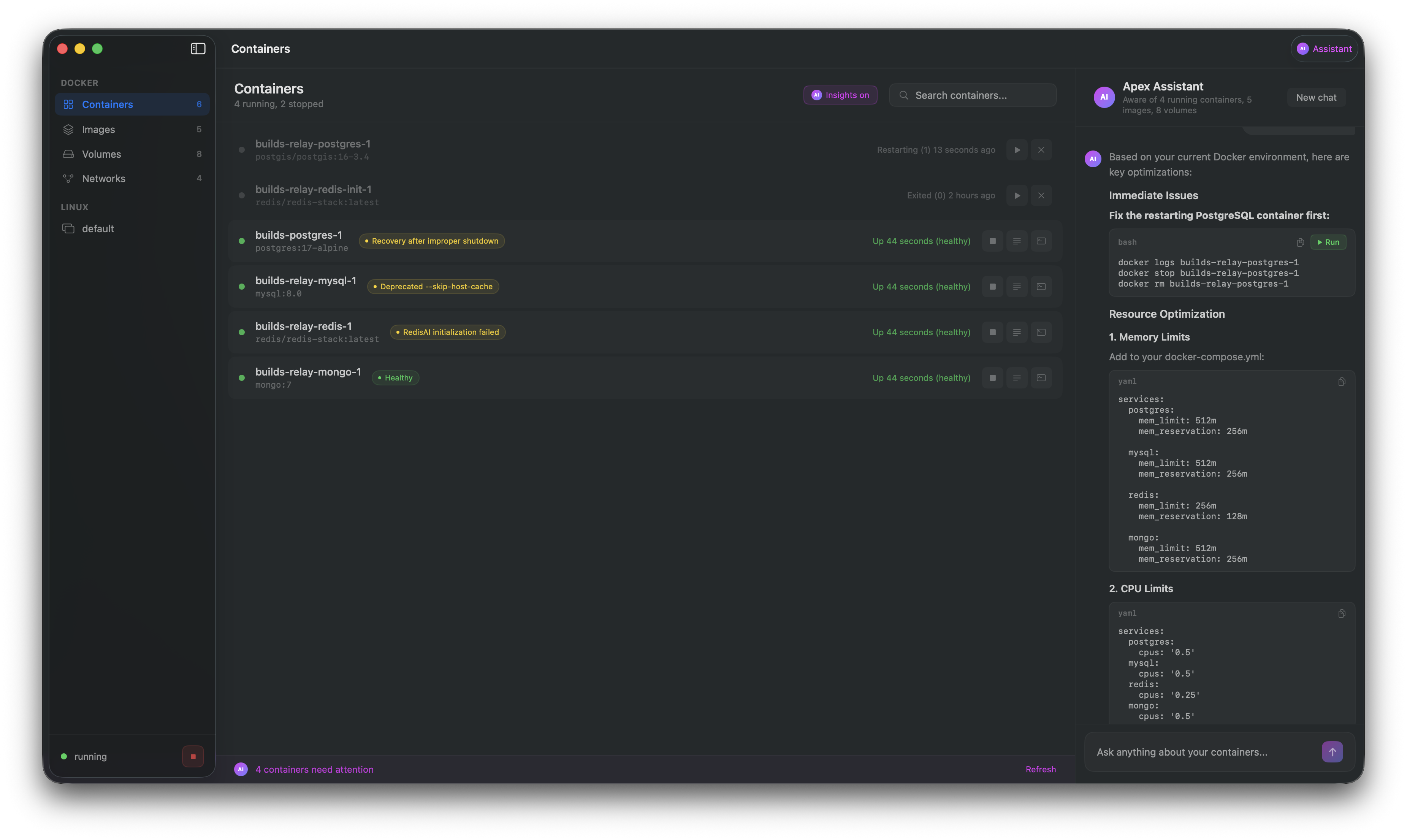
Ask Apex why a container is unhealthy, what your logs mean, or how to fix a failing service. Works with Claude, GPT-4o, or local models via Ollama.
Profiles for every project
Keep separate configurations for different teams, clients, or stacks. Clone a profile, switch in one click, and never worry about environment conflicts again.
Command Line
Everything from your terminal.
No GUI required.
The apex CLI manages machines, containers, storage, and profiles — so you never have to leave the terminal to get work done.
apex startBoot the VM and Docker engine
apex stopGracefully shut everything down
apex sshDrop into a shell inside the VM
apex statusSee what's running at a glance
apex dockerPass through any Docker command
apex logsStream container logs in real time
apex config setAdjust CPU, memory, disk, and more
apex storage infoCheck disk usage across machines
Ready to try Apex?
Download the macOS app and get Docker running in seconds.
Requires macOS 14.0 or later · Apple Silicon