
Features
Everything you need.
Built for your work.
Relay is a native macOS database client that has grown teeth. It handles the editor, the schema work, the engine-specific weirdness, and the workflows that usually send you hunting for another app.
AI Assistant
Generate, fix, and explain queries with Anthropic, OpenAI, Google, GitHub Copilot, Vercel, Bedrock, or local LM Studio models.
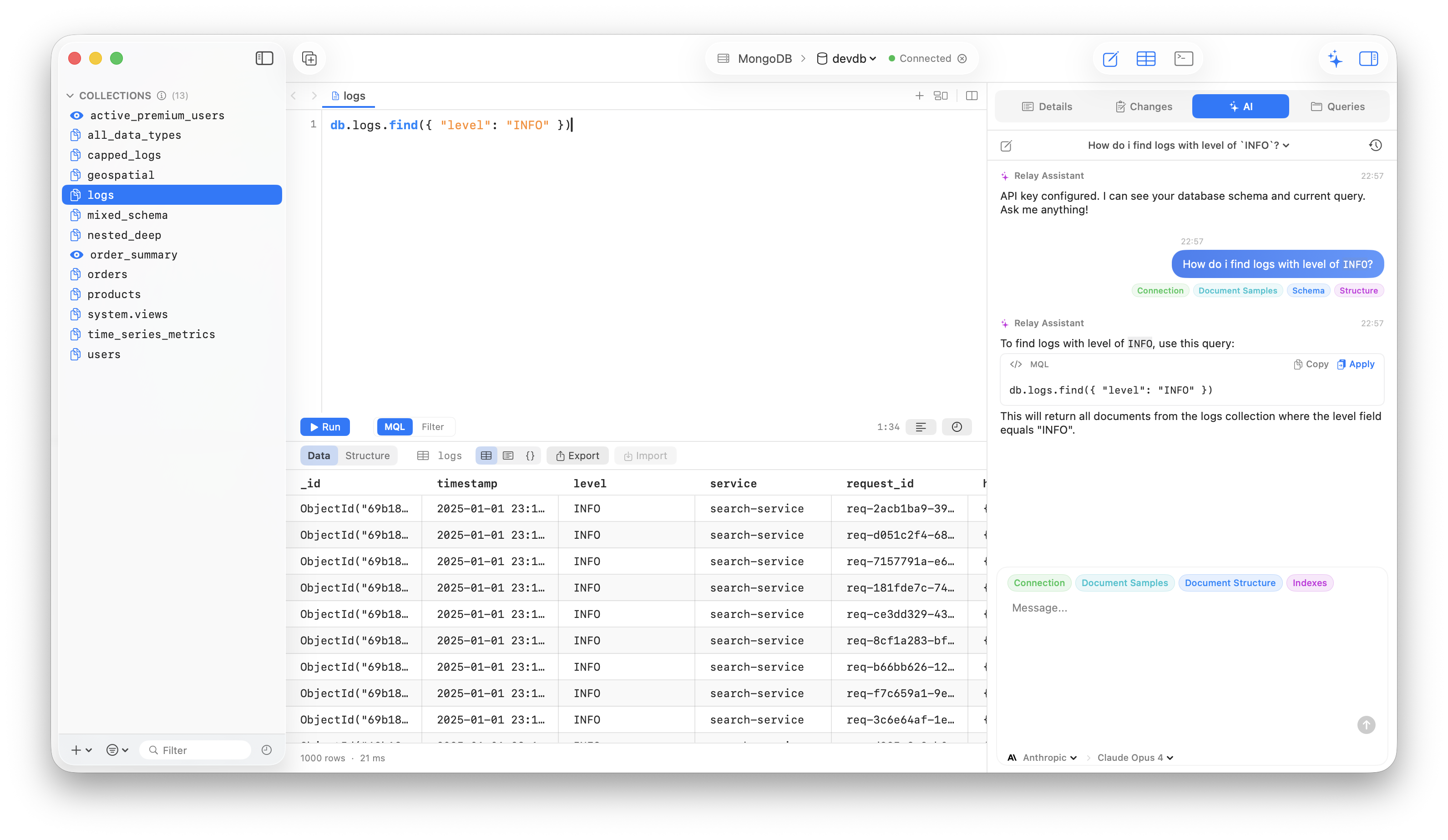
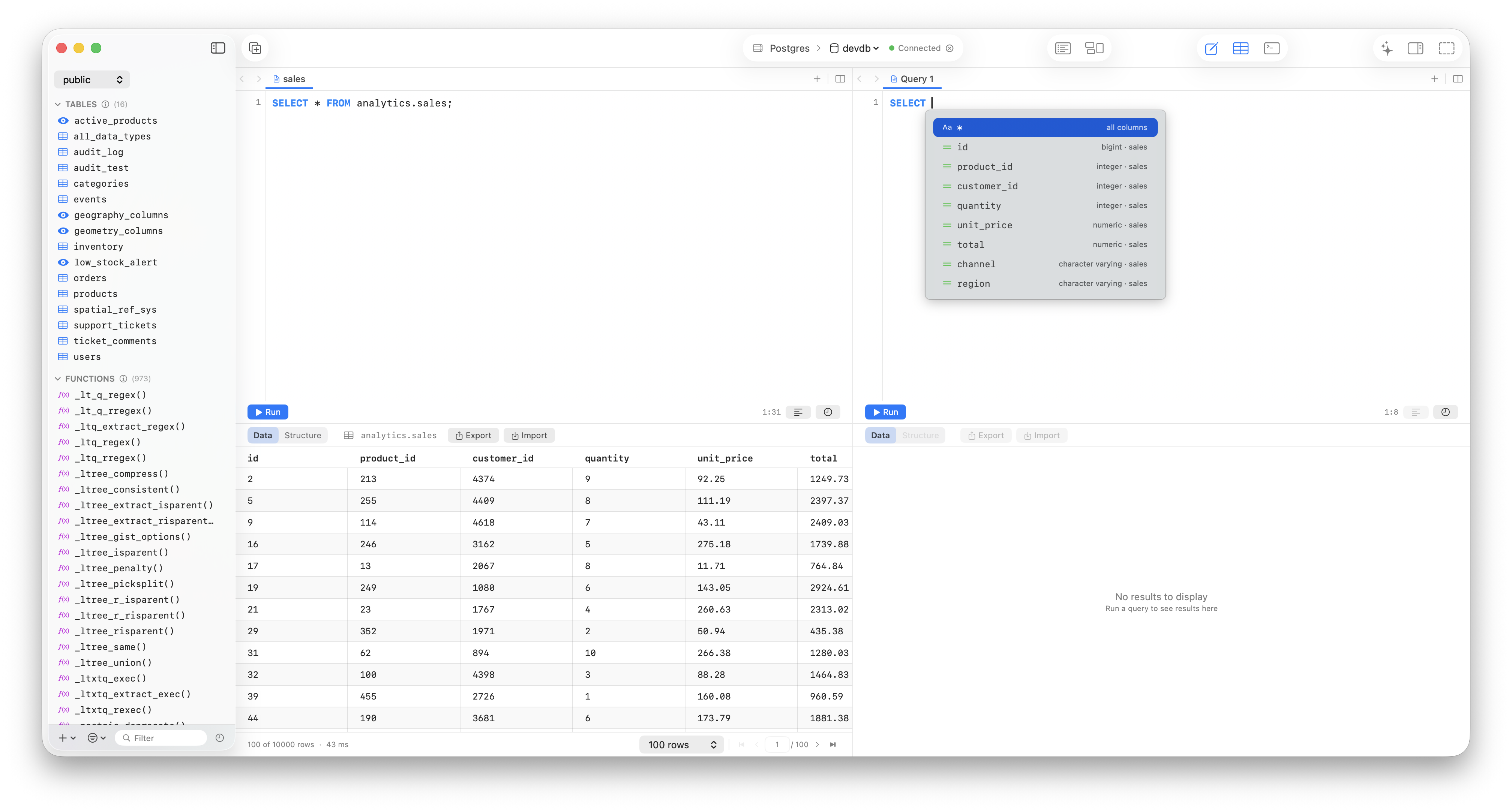
Advanced Query Editor
Syntax highlighting and autocomplete for SQL, MongoDB shell syntax, and Redis commands with split-pane editing.
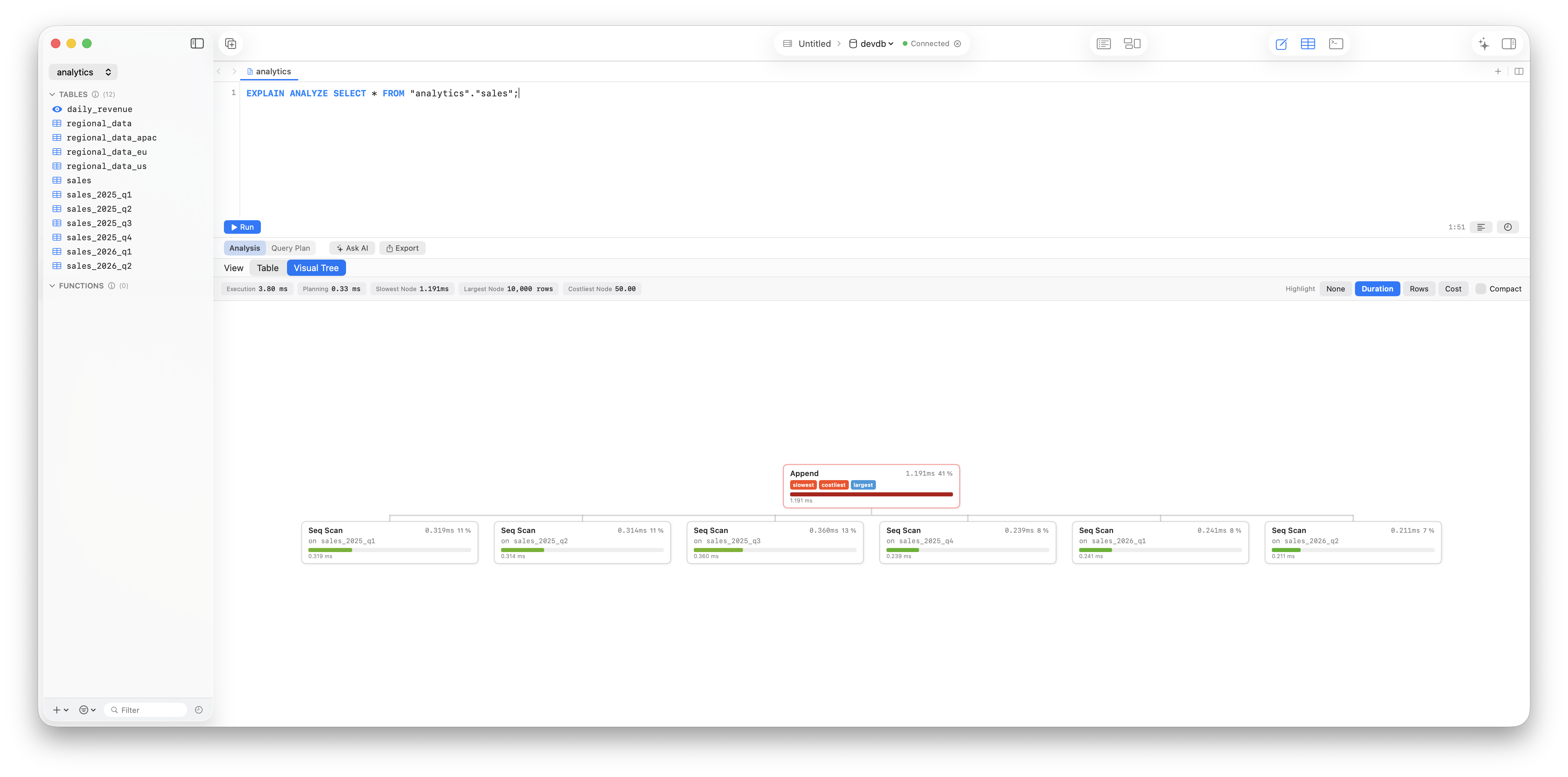
Query Plan Analyzer
Visualize PostgreSQL EXPLAIN ANALYZE as an interactive tree with performance insights.
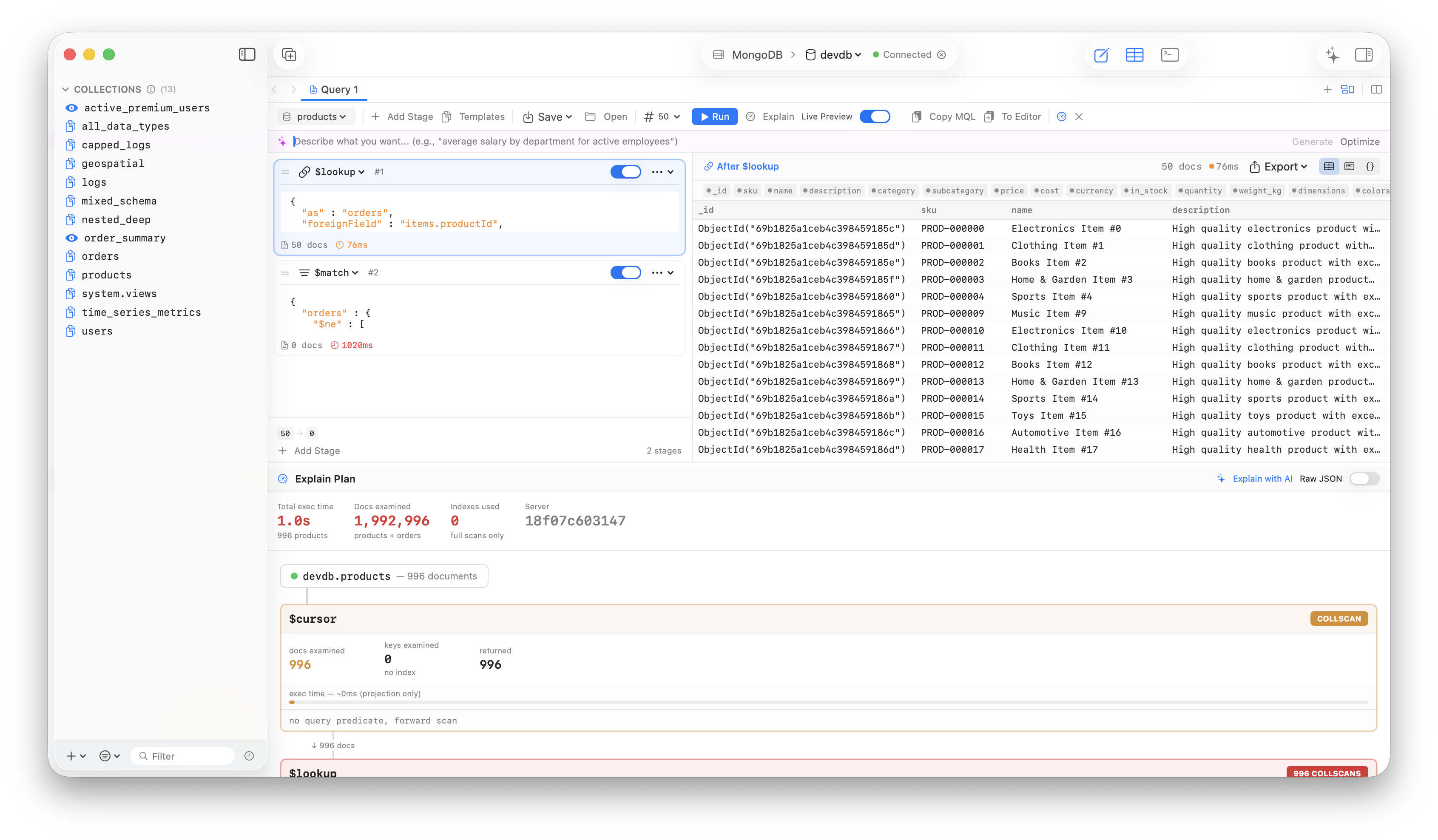
MongoDB Pipeline Builder
Compose aggregation pipelines visually, preview stage output live, and save pipeline recipes you actually reuse.
Core toolkit
The things you hit every day, plus the parts that usually derail your afternoon.
ERD Diagrams
Auto-generated entity relationship diagrams from foreign keys.
Change Tracking
Review every modification before committing with inline diffs.
Import & Export
Move data in and out with drag-and-drop simplicity.
Redis Toolkit
A proper Redis workspace with real operational views, not just a text console.
DuckDB File Workflow
Inspect local and cloud-hosted analytical files before you query them blind.
Query Manager
Save, organize, and search queries with folder groups.
MCP Server
Connect AI agents and LLMs directly to your databases through the Model Context Protocol.
Secure Connections
SSH tunnels, SSL/TLS, and macOS Keychain integration.
Inline Data Editing
Click any cell to edit with type-aware validation.
MBTiles Maps
Visualize raster and vector tiles on an interactive map with filtering and styling.
Native macOS performance
No Electron. No web views. Relay is built with Swift and SwiftUI for instant startup, low memory usage, and buttery smooth scrolling.
6 engines and geospatial, one app
Relay supports 6 engines and geospatial files.






Connection Management
Organize connections with groups, color tags, and reordering. Import and export your entire config.