
Relay
ChangelogDocsPricing
Buy
Documentation
Table ViewFiltering & SortingInline EditingExport Data
Data Browser

Inline Editing

Edit data directly in the table view.

Editing Cells

Double-click any cell to enter edit mode, or select a cell and press Enter. Modified cells are highlighted until saved. You can also edit data using the right column Details view.
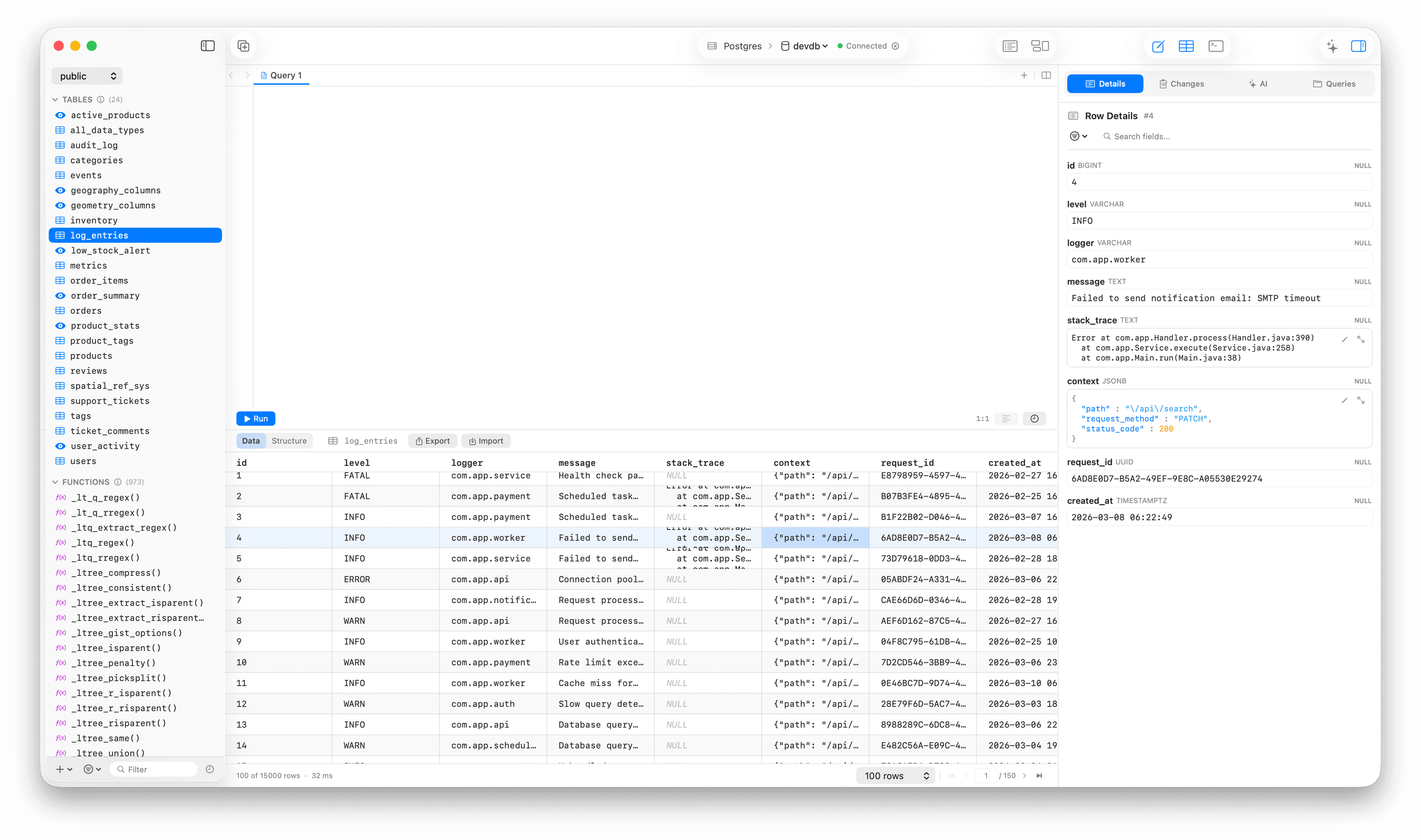
Edit

Saving Changes

Press ⌘ + S to save all pending changes. Relay generates and executes the appropriate UPDATE statements.

Discarding Changes

Press Escape to discard changes to the current cell. Use ⌘ + Z to undo recent edits.

Adding Row

Right click > Add New Row.

Deleting Rows

Select one or more rows, press Delete or right click > delete.

Filtering & Sorting

Filter and sort your data in the Data Browser.

Export Data

Export query results and table data to various formats.

On this page

Editing CellsSaving ChangesDiscarding ChangesAdding RowDeleting Rows
Relay

by builds.org

The database client you deserve.

Stay in the loop.

Product

  • Features
  • Download
  • Changelog
  • Documentation

Support

  • Purchase License
  • Manage License
  • Recover License
  • Contact Us
© 2026 builds.org. All rights reserved.
Privacy PolicyTerms of ServiceLicense AgreementCookie Policy